Blog · · 5min read
Does your salon need its own app? What it costs and the alternative clients actually install
A native app costs thousands and then nobody downloads it. Your booking page can be installed on the phone with your icon, send notifications and work without a password. Here's how.
Every so often a salon writes to ask how much it would cost to “have an app”. The honest answer is that a native app, the kind that lives in the App Store and Google Play, costs anywhere from several thousand euros to several tens of thousands, takes months, has to be maintained every time Apple or Google change something, and then the worst part happens: most of your clients don’t download it. Nobody wants one more app for a haircut every six weeks.
And yet what the salon wants to get out of the app is reasonable: the client having the salon one tap away on their phone, getting alerts without paying for SMS, and being able to see and cancel their appointments without calling. All of that is possible without an app. It’s called an installable web app, or PWA, and it’s what your Calendace booking page does.
What an installable web app is
It’s a normal web page, the same one the client opens from your Instagram or your Google listing, with three things added:
- It can be added to the home screen of the phone, with its icon and its name, like any other app. Opened from there, it fills the whole screen with no browser bar.
- It can receive notifications, real ones, the kind that show up on the lock screen. Same as WhatsApp’s or your bank’s.
- It doesn’t go through any store. Nothing to download, no updates to install, and it takes almost no space. It updates itself every time it’s opened.
Android has supported this for years and offers to install the page on its own. iPhone has supported it since iOS 16.4: it installs from Safari with the Share button and “Add to Home Screen”, and from then on notifications work the same way.
What your client does from there
What they would do from an app, without you having paid for an app.
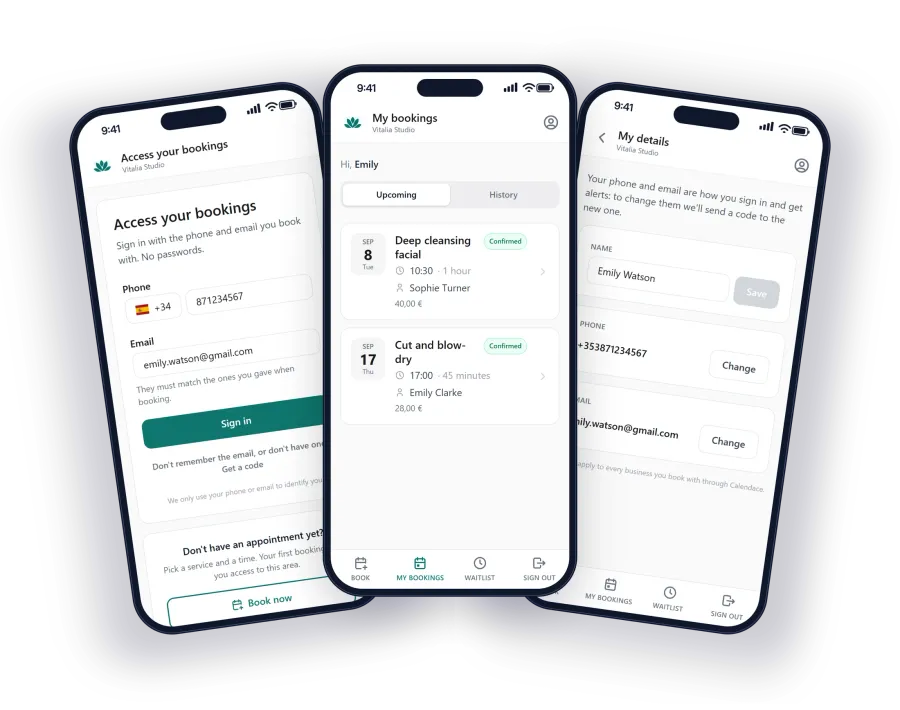
Signs in without a password. This matters more than it seems. Every password you ask a client for is a reason for them not to sign in. On your installed page, the client signs in with their phone and email, the same ones they gave when booking. And if they come from the link in an alert, not even that: the link opens the session directly. That link is single-use and expires, so forwarding it does nobody any good.
Sees their appointments. The ones they have booked, with whom and at what time, and all the previous ones. It’s the answer to “what time was I in tomorrow?” without them having to message you.
Cancels on their own. Within the window you have set. If they can’t make it, they do it right there with two taps, you know immediately and the slot is free again, with time for someone else to take it. Clients cancelling in advance is, by far, what saves the most slots.
Joins the waitlist. If there’s no slot on the day they want, they leave their name and get an alert as soon as one opens up. We explain how it works in the article on reducing cancellations with a waitlist.
Gets your alerts as notifications. Confirmations, reminders, time changes, free slots. No per-message cost for you and no depending on them opening their email.
Updates their details. If they change number or email, they update it themselves, with a code sent to the new one so nobody can change it on their behalf.
Why it beats a native app for a salon
It’s not just that it’s cheaper. For a business with clients who come back every few weeks, the installable web app has advantages of its own:
- No download friction. The client is already on your page because they came to book. Installing it is one more tap, not a trip to the store.
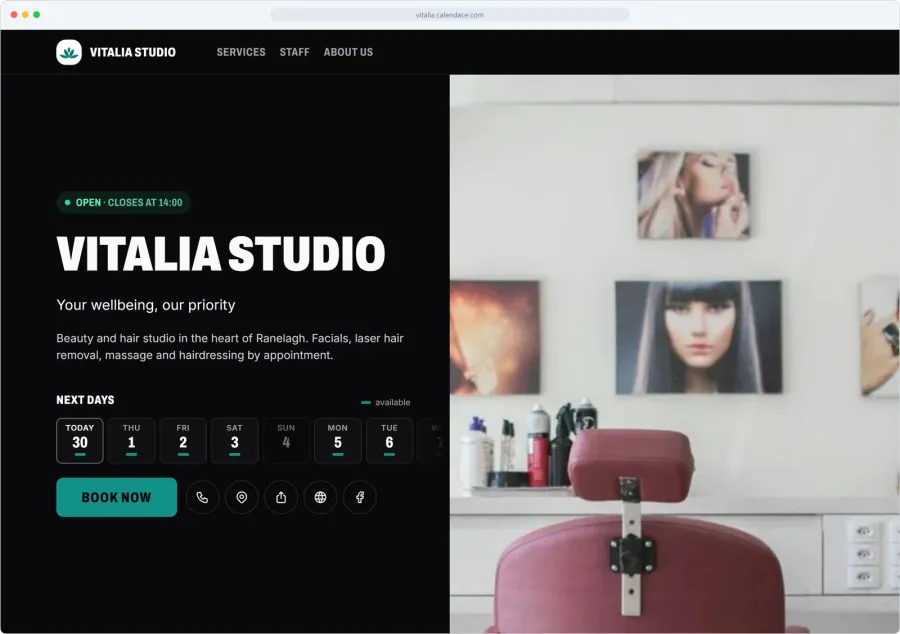
- It’s your brand. The icon is your logo and the name is your salon’s. On the Premium plan there is no mention of Calendace at all. With a marketplace app, the icon your client has on their phone is the marketplace’s, and when they open it they see your salon next to all the others.
- It works even if it isn’t installed. Whoever doesn’t want to install it uses the same page from the browser, with the same features except notifications. You don’t have two products to maintain.
- It updates itself. When we improve something, the client has it the next time they open the page. No “a new version is available”.
How to get them to install it
You don’t need to ask. The first time a client opens your page on a phone, the page itself proposes installing it and shows them where to tap, on Android and on iPhone alike. Then it asks permission for notifications, and explains what they are for.
What does help is that the link you share is the one to your page, not a marketplace’s, and that the reminder for each appointment carries the link to your page. Every time the client comes in from there is a chance for them to install it. Businesses that have been doing this for a while watch the share of their clientele with the page installed grow on its own, appointment by appointment.
What you need
Nothing you don’t already have. The client area and app alerts are on every Calendace plan, including the free one. Your own icon and colour, on the Standard and Premium plans. If you want to see it with your own services, the app for your clients page walks through what the client sees, step by step.