
Templates
A booking page that looks like yours
It's not a listing in a directory: it's your page, with your name, your photos and the style you choose. Six templates, one click to switch.
The six templates
Same business, same photos, six ways to tell it.
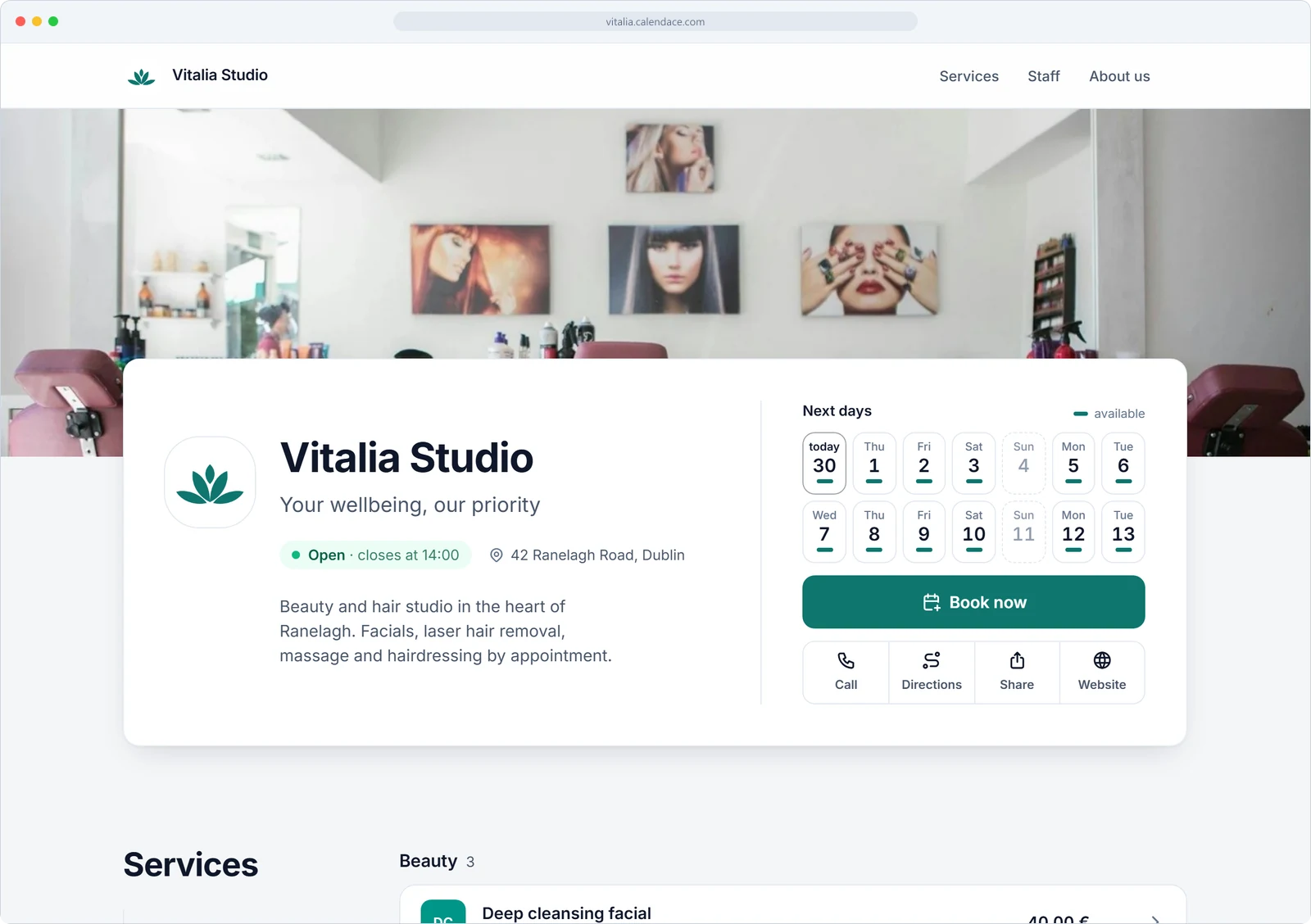
Classic
Full-width cover and a list of services. The one you know, no surprises.
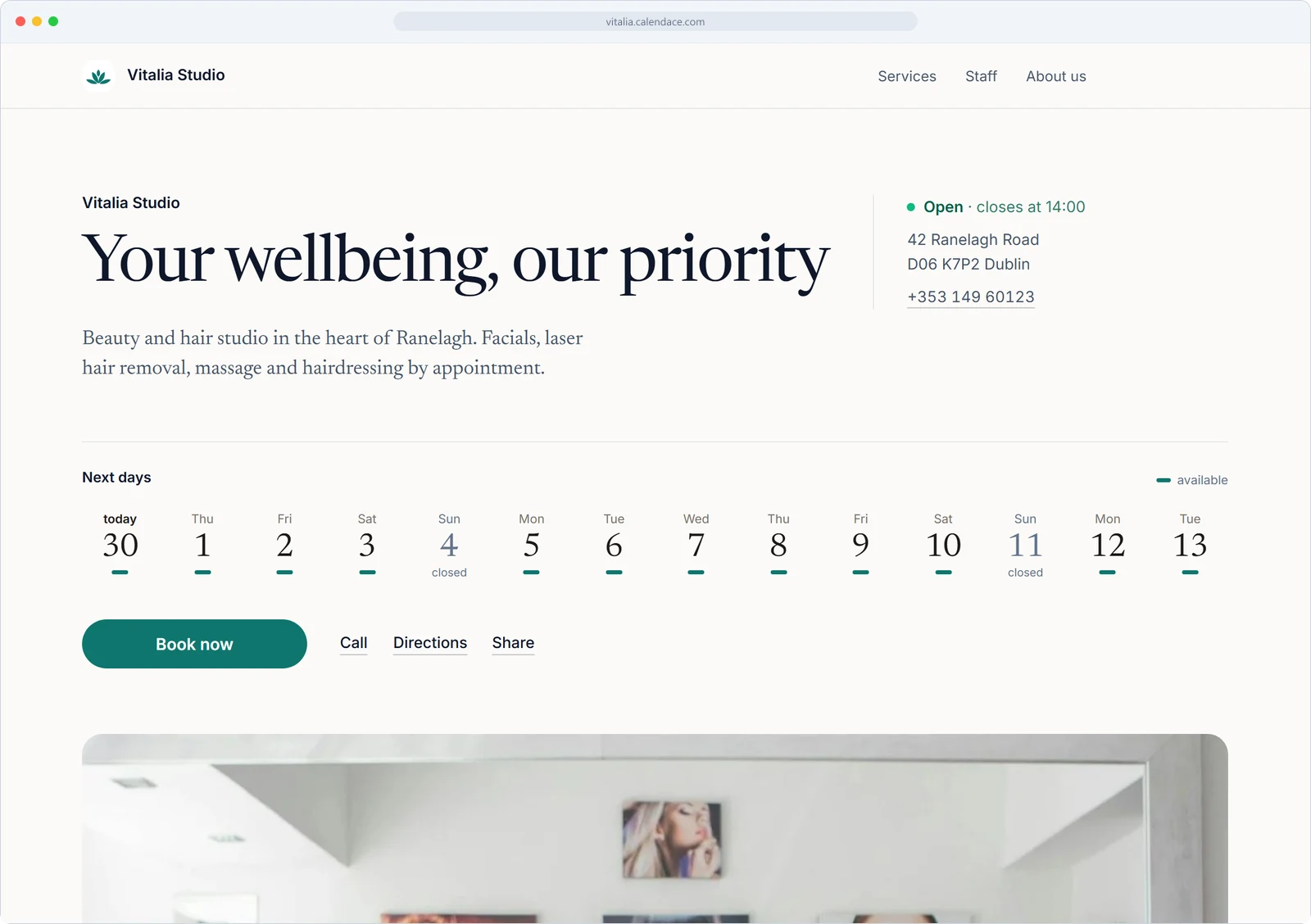
Minimal
Lots of white, type with character and services in rows. For when the photos should do the talking.
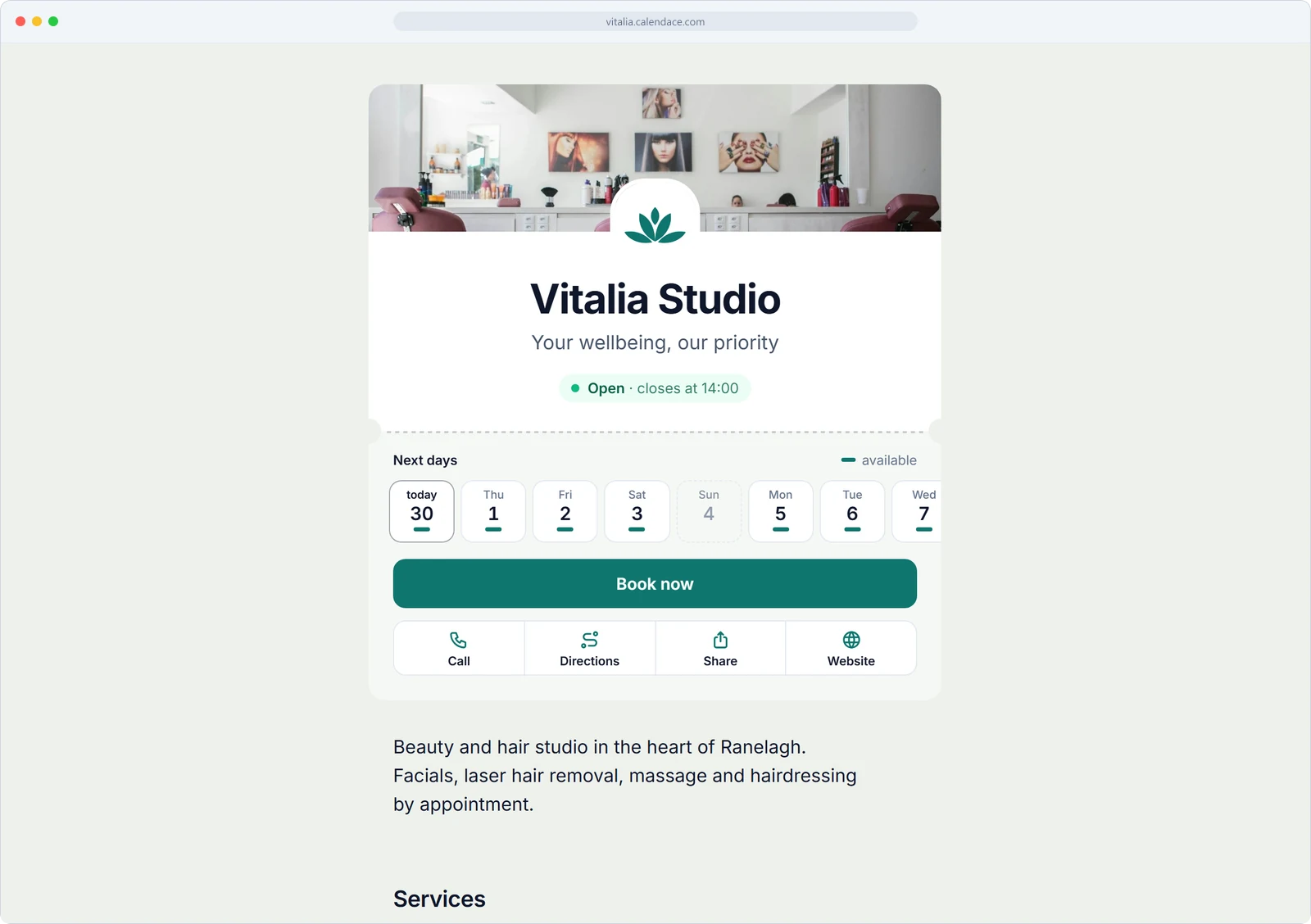
Compact
A card built for mobile: book, call or get directions in one tap. Perfect for your Instagram link or QR code.
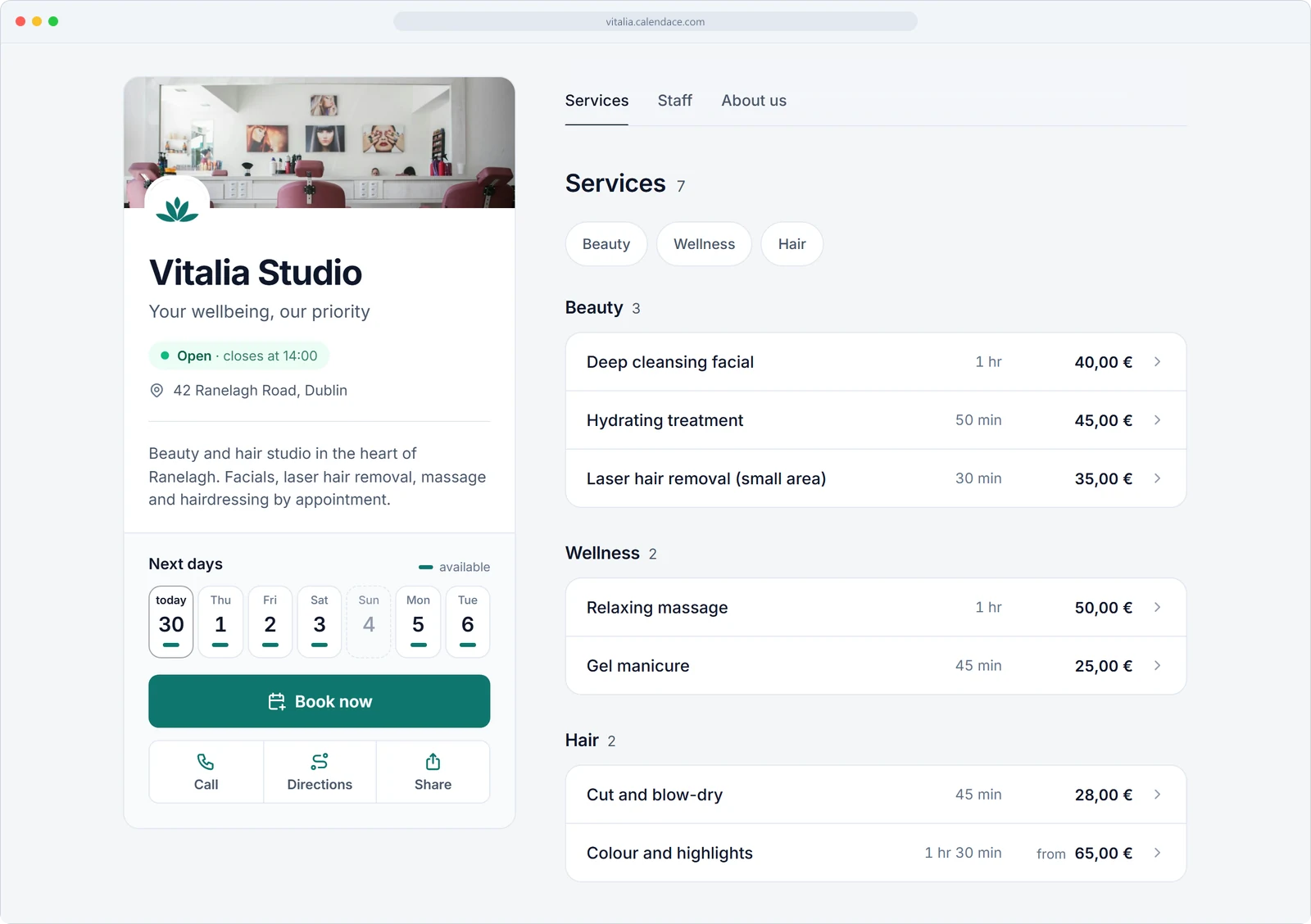
Split
Photo on one side, booking on the other. The book button always within reach.
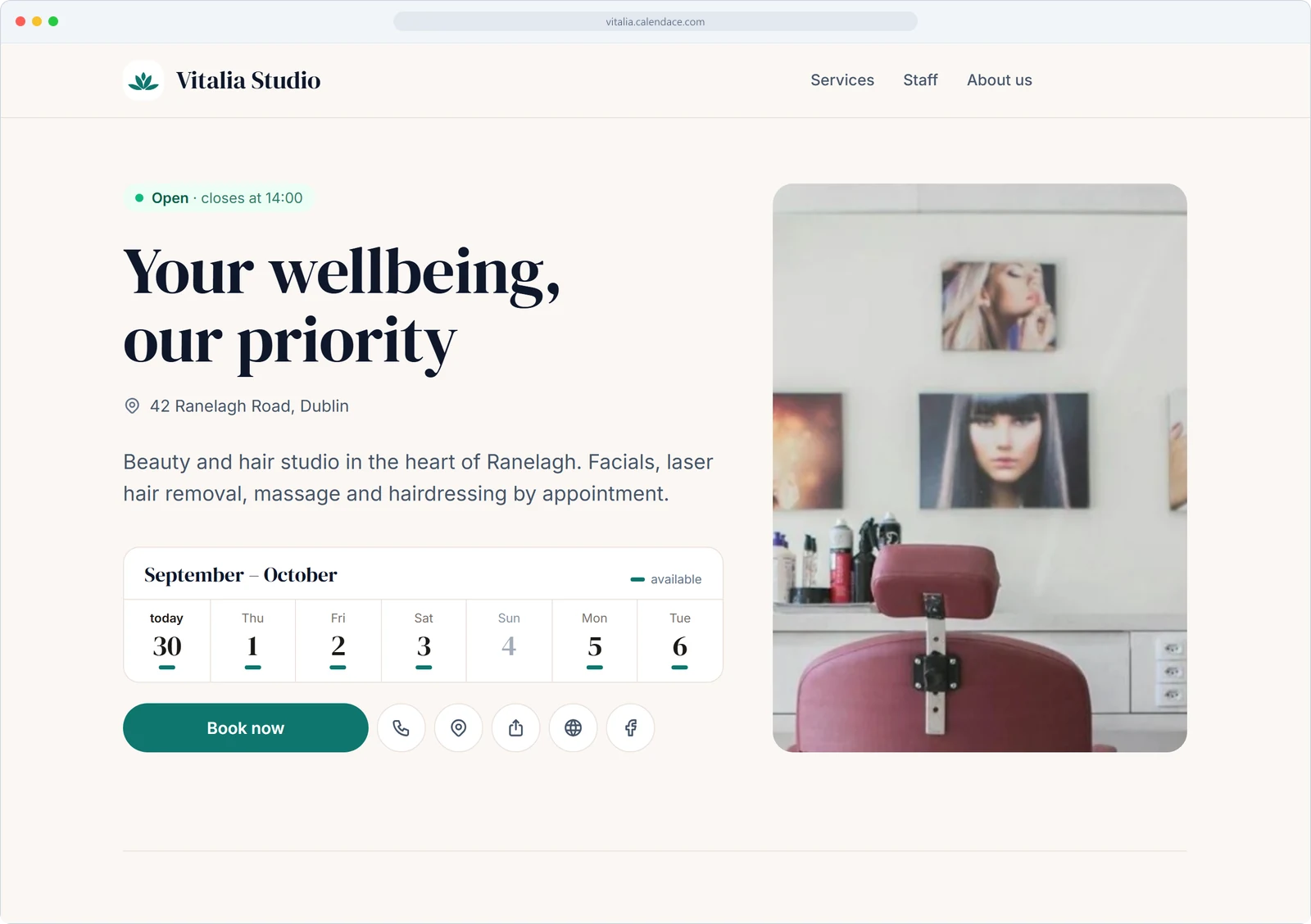
Editorial
Big serif headlines with a magazine feel. For studios with a name.
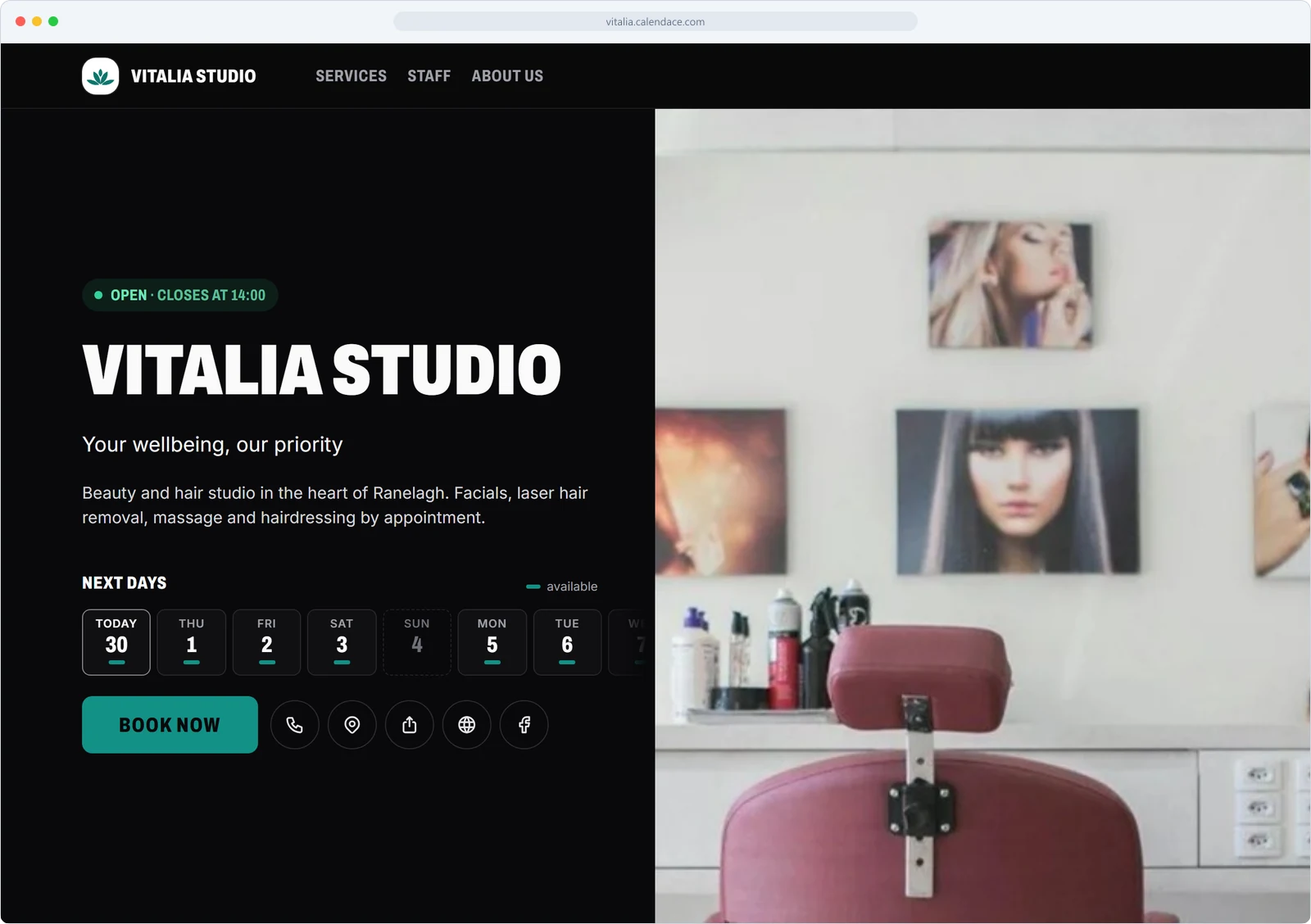
Showcase
Dark background, the gallery up front and the team on large cards. The boldest one.
Every template includes your logo, your brand colour and your photo gallery. Available on paid plans; the free plan comes with Classic.
How it works
Three decisions and it is ready
Choose the template
From your dashboard, with a live preview. Switch whenever you like; nothing else changes.
Add your colour
One brand colour for buttons, links and details. The template does the rest.
Upload your photos
Logo, cover, team, services and a gallery. With those, any template becomes yours.
FAQs
Questions about the templates
What people usually ask before picking one.
Which templates does each plan include?
The free plan uses the Classic template. The Standard plan adds your brand colour and three templates, and Premium unlocks all six plus the photo gallery.
Do I lose anything when I switch template?
No. Services, team, hours, photos and bookings stay where they are; only the way they are shown changes. You can go back to the previous one whenever you like.
Can I use my own domain?
Your page lives at a Calendace address with your business name, ready to link from Google Maps, Instagram or a QR code. If you already have a website, just link its booking button to it.
Do they look good on mobile?
All six are designed mobile-first, which is where most of your clients book from, and adapt to tablet and desktop with nothing to configure.
Guides
Practical guides
Short articles on the questions businesses like yours ask us most.
Where to put your booking link: Instagram, Google, WhatsApp and email
Your booking page is useless if the client doesn't have it in front of them the moment they decide to book. Exactly where to place the link, with what wording, and how to tell whether it's working.
How to ask for Google reviews after the appointment without being a pest
When to send the request, what text to use, who not to ask, how to answer a bad review, and how the automatic request in Calendace fits in when the appointment ends.
Physiotherapy: how to reduce no-shows at the first session
The appointment a physiotherapy clinic loses most often is the first one. Which messages to send, what to put in them, when to let the patient cancel on their own and when a phone call is worth it.
To compare before you decide:PricingCalendace vs BooksyCalendace vs TreatwellCalendace vs Fresha
Your page, this afternoon
Create your free account, pick a template and share the link. No card, no commitment.