Blog · · 6min read
Physiotherapy: how to reduce no-shows at the first session
The appointment a physiotherapy clinic loses most often is the first one. Which messages to send, what to put in them, when to let the patient cancel on their own and when a phone call is worth it.
If you run a physiotherapy clinic, look at last month’s calendar and split the no-shows into two piles: patients who had been before and patients who were coming for the first time. The second pile is almost always bigger, even though first appointments are fewer.
It makes sense. The patient who has had three sessions with you knows where the clinic is, knows your name and knows you will ask why they didn’t turn up. The new patient has none of that. They booked ten days ago because their back hurt, maybe their GP or their insurer referred them and they didn’t even choose the clinic, and since then the pain has eased or something else has come up. They don’t owe you anything yet. And the first session is usually the longest one and the hardest to refill.
What a lost first session costs
Say a first session is 60 minutes at €45, against 30 minutes for a follow-up. A clinic with two physios that sees fifteen new patients a week and loses three of them leaves €135 a week unbilled, around €540 a month. And it isn’t only that session’s money: a new patient who doesn’t show up doesn’t come back for the five or six sessions they would probably have needed either.
Bring those three no-shows down to one, which is what tends to happen once the messages are set up properly, and the same clinic recovers €360 a month in first sessions, plus the treatment that follows.
One: the confirmation has to say where and with whom
The first message a new patient receives is the booking confirmation, and a lot gets decided there. An email that says “Appointment confirmed, Tuesday 10:00” is correct, but it’s no use to someone who has never been to your clinic.
The confirmation for a first session should carry, besides the date and time:
- The full address and how to get there (floor, entrance, whether there’s parking).
- The name of the person who will see them.
- The real length of the session, so they don’t book the rest of the morning for something else.
- The deadline up to which they can cancel without any problem.
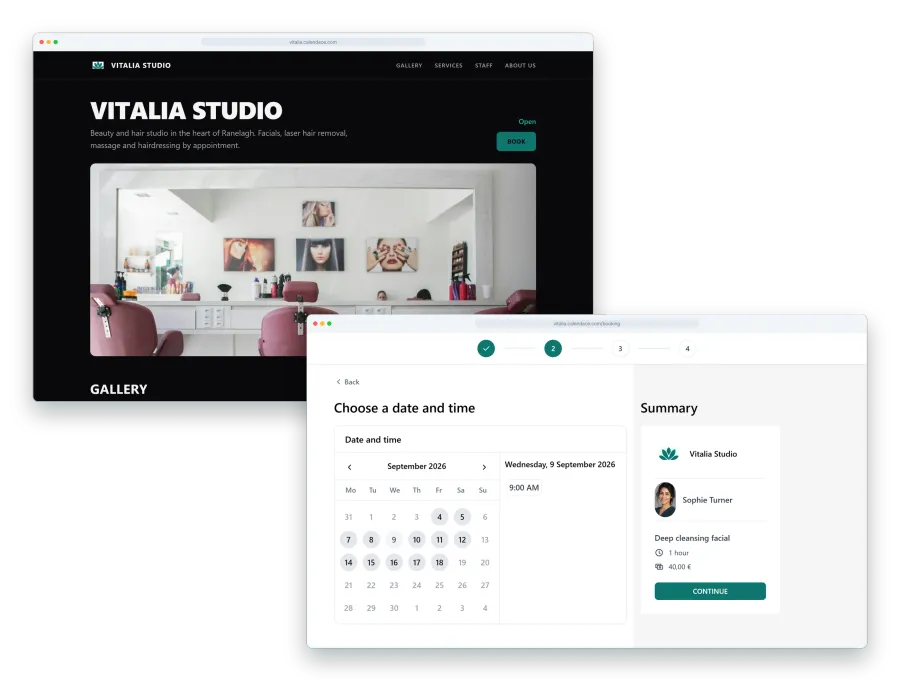
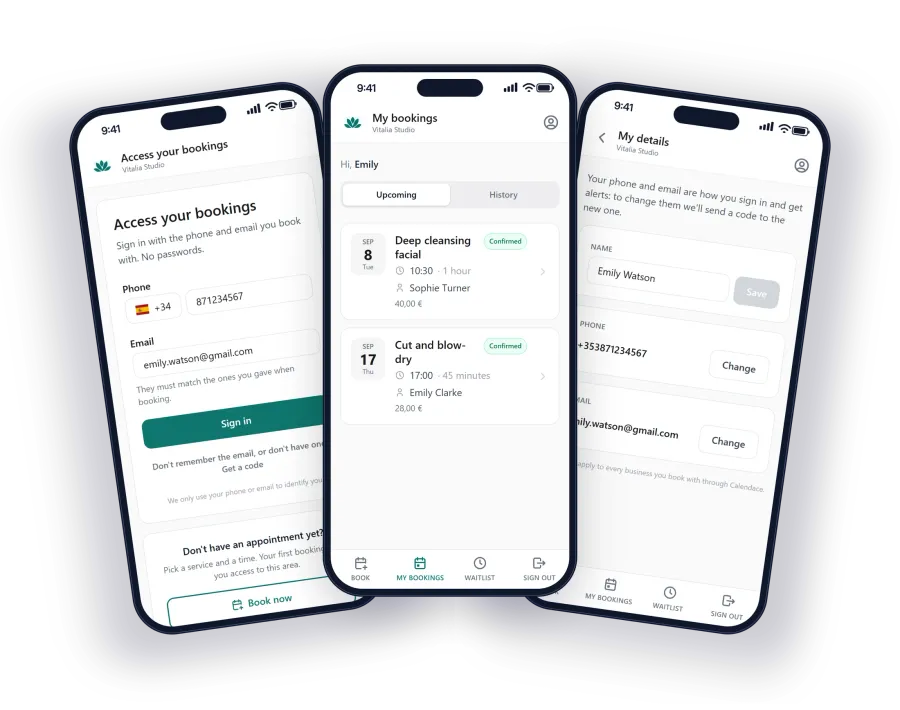
In Calendace the confirmation goes out on its own when the patient books or when you approve the appointment, with the details from your profile, so make sure the address is right. It goes by email on every plan, and by WhatsApp or SMS if you have those enabled.
Two: the reminder says what to bring
The day-before reminder is what prevents the most no-shows, in physiotherapy as in any other sector. But for a first session it can do more than remind: it can prepare the patient. If they arrive without the MRI report, without comfortable clothes or without knowing you are going to examine them, the session delivers half of what it should and they leave feeling it was pointless.
A reminder template that works, short enough to fit an SMS of 160 characters:
North Physio: tomorrow Wed 10:00 with Anna, 60 min. Bring any scans or reports you have and comfortable clothes. Cancel or change: [link]
By WhatsApp, email or app notification you have more room for the address and “if you were referred, bring the referral letter”. We cover which channel suits each message in another article; for a first session, with your page not yet installed, WhatsApp or SMS are the safe bet.
On timing: the afternoon before is what works best. Two days ahead it gets forgotten; two hours ahead there’s no room to rearrange anything.
Three: make cancelling easier than not turning up
It sounds odd, but most first-session no-shows aren’t people who decide not to come. They are people who meant to let you know and didn’t, because letting you know took effort: finding the clinic’s number, calling during opening hours, explaining themselves. When letting you know is one tap on the reminder itself, they do it.
That’s why the Calendace message carries a link to cancel or change the appointment, with no sign-up and no passwords to remember, as long as it’s within the cancellation deadline you have set. A patient who cancels at six in the evening for ten the next morning leaves you sixteen hours to fill the slot. A patient who doesn’t show up at ten leaves you none.
If you set a 24-hour cancellation deadline, say so in the confirmation and in the reminder. The rule is worthless if the patient discovers it once they can no longer meet it.
Four: the freed slot goes to the waitlist
Here is the second half of the problem. The patient cancelling in time only helps if that slot gets filled again, and a 60-minute first session is a big slot.
With the waitlist switched on, when someone opens your page and there’s no slot on the day they want, they can join it: service, day, morning or afternoon, and a physio if they have a preference. The moment that ten o’clock slot is freed, the system alerts the first three people waiting for it; if nobody books within 30 minutes, it moves on to the next three. Whoever books leaves the list. You don’t call anyone.
For the waitlist to work with first sessions, the service length has to be right: if the first consultation is 60 minutes and a follow-up is 30, they need to be two separate services on your page. That way a 30-minute slot is never offered to someone who needs 60.
Five: the phone call, only when it’s due
With all of the above automated, the phone call stops being the system and becomes the exception. And as an exception, it’s very valuable. Three cases where it’s worth someone at the clinic picking up the phone:
- The referred patient who hasn’t confirmed. If the appointment was requested by the insurer or a relative, the patient may not even know quite what it is. A two-minute call the day before, after the reminder, clears up doubts and creates the bond that doesn’t exist yet.
- The patient who already missed once. In the Calendace client record you can see how many times they didn’t show. If they book another first session (it happens more than you’d think), call before.
- The expensive slot the waitlist didn’t cover. If the alert has gone round twice and the slot is still empty, a call to a patient already in treatment to bring their session forward sorts out the morning.
Everything else doesn’t need a call. It needs a good message, a link to cancel and a list that moves on its own.
One rule to start tomorrow
If you can only change one thing this week, make it this: send first-session reminders by WhatsApp or SMS with what the patient needs to bring and a link to cancel, and count how many first appointments are lost over a month. Compare with the month before. On our page for physiotherapy centres you’ll find how to set up the messages, the services with their length and the waitlist, and the 30 days of Premium you get when you start are plenty to run the comparison on your own calendar.