Blog · · 6min read
Blocking clients who never show up: when to do it and when not to
One no-show is a slip. Three in a row without a word is a pattern. How to count no-shows on the client's record, what to say before blocking, what a blocked client sees when they try to book, and why the reminder stops you getting there.
There’s a client you already know. They book a Thursday at six, don’t come, don’t say a word. They book again two weeks later, and this time they turn up. The month after, they book a Saturday morning, your best slot, and again nothing. When you message them, the reply is “oh sorry, it slipped my mind” and they want to book again.
They’re not a bad client in the sense of not paying or causing trouble. It’s worse: they’re a client who costs you money every time they book, and they don’t know it. The question we get asked a lot is whether to block them. The answer is that sometimes yes, but almost never the first time, and never without them knowing why.
First, count
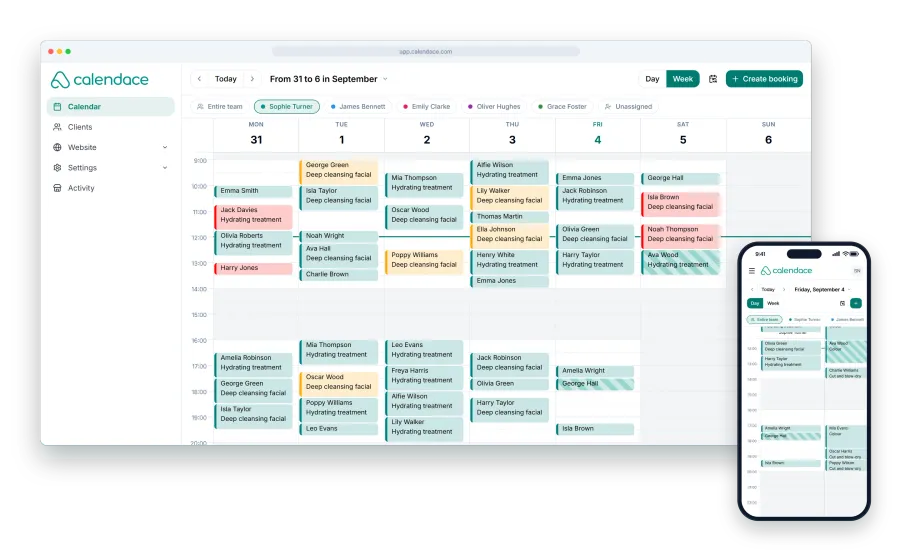
What turns a feeling (“this one always lets me down”) into a decision is a number. Every client record in Calendace has a counter of the times they didn’t show up, next to their appointment history. When someone doesn’t come, mark the appointment as a no-show in the calendar instead of deleting it. It’s one click, and it’s what lets you open the record three months from now and see “3 no-shows out of 7 appointments” rather than having to remember.
It matters because memory exaggerates: the client who failed once on a bad day sticks in your head as “the one who never comes”, while the one who misses one in three goes unnoticed because you like them.
A sensible rule for a salon: one no-show is nothing. Two in six months deserve a conversation. Three without notice, or two in a row, deserve action.
Second, talk
Before blocking anyone, one message. It doesn’t need to be awkward, and it actually works better when it isn’t. An example you can adapt:
Hi Martha. I noticed you weren’t able to make your last two appointments (on the 12th and the 26th) and we didn’t get any notice. No problem at all, but those slots stayed empty and we couldn’t give them to anyone else. If you ever can’t make it, you can cancel from the reminder itself up to 24 hours before, so someone else gets the slot. Thanks!
It gives the dates, because you have them on the record. It explains the cost without drama. And it says how to cancel, because some of the people who don’t give notice simply don’t know how, or feel awkward calling.
In most cases, the problem ends here. Write the conversation down in the private notes on their record, with the date, so whoever serves them next time knows.
Third, if it continues: manual approval or blocking
If they let you down again after the conversation, you have two tools, and it’s worth using them in this order.
Manual approval. In the booking rules you can make bookings from your page come in as pending and confirm them yourself. It’s a setting for the whole page, not for one client, but it allows something useful: when that client’s booking arrives, you call before confirming. “I’m confirming Saturday at 10, are you sure you can make it?” A share of no-shows drops away right here.
Blocking the client. From their record, on the Standard and Premium plans. From that moment they can’t book online on your page. You can still give them an appointment from the calendar if they call, and their history and notes are kept. It’s reversible: unblock whenever you like.
What a blocked client sees
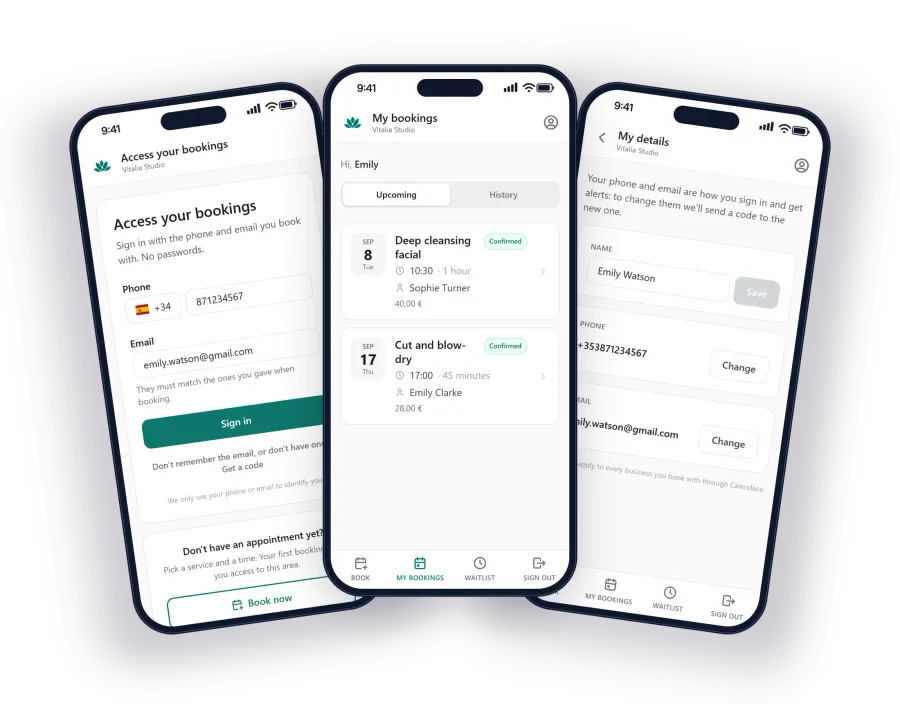
A blocked client opens your page, picks a service, a professional, a day and a time, and fills in their details. On confirming, instead of the appointment, they see a page saying that the business has blocked bookings and doesn’t allow online booking, with a note to contact the business for more information.
It doesn’t say “you are blocked” or why. It doesn’t mention their no-shows. It’s a closed door, not an accusation. If they call to ask, you decide what to tell them.
One practical detail: the block sits on the record, so it’s checked against the phone or email they book with. If they book with another number, they get through. It’s a filter, not a wall, and for most people that’s enough.
When not to block
Blocking is easy, and that’s why it gets overused. These are the cases where we wouldn’t:
- A single no-show. Even in your best slot. Everyone has a day when something comes up.
- Late cancellations. Someone who messages an hour before to say they can’t make it has done something the no-show doesn’t do. That’s a client you can educate, not one to block. Talk to them about the cancellation window.
- Long-standing clients on a bad run. Someone who’s been coming for five years and misses twice in two months probably has a problem that isn’t with you. Ask before anything else.
- No-shows from before you sent reminders. If the client missed when you weren’t yet sending a reminder, you don’t know whether they’d have missed with one. Start counting from the day you switched it on.
Blocking without talking also has a hidden cost: that client doesn’t know why they can’t book and tells their friends “the page doesn’t work for me”.
What stops you getting there at all
Almost everything above is unnecessary if the client gets a reminder and can cancel from it. It’s the measure that removes the most no-shows, by a distance.
The Calendace automatic reminder goes out as far ahead as you configure (the day before is the usual choice) through the channels you tick: email on every plan, WhatsApp, SMS and app notification on the paid ones. It carries a link to cancel, which works inside the cancellation window you’ve set. A client who sees the notice at nine in the evening and remembers they can’t make tomorrow cancels there and then with one tap. And the slot goes to the waitlist, which offers it to whoever was waiting for it.
On which channel to use so the reminder actually gets read, we have a comparison of WhatsApp, SMS, email and notifications. The short version: email always, plus at least one channel that reaches the phone.
The full sequence
The sequence we recommend writing down, even on a piece of paper at the front desk:
- Reminder on, with a cancel link, and a clear cancellation window (24 hours is a good starting point).
- Every no-show is marked in the calendar, not deleted. The counter on the record does the rest.
- On the second no-show without notice, a message with the dates and with how to cancel. Note it on the record.
- On the third, block online booking. Note that too, with the date.
- If the client calls and commits, unblock. If they miss again, they stay blocked.
The important part isn’t step 4. It’s that with steps 1 and 3 done well, hardly anyone reaches it. To see what each plan includes for reminders, client records and blocking, it’s all on the pricing page.