Blog · · 6min read
Approving every booking by hand or confirming instantly: when each one makes sense
Manual approval protects you from a stranger's three-hour session. It also leaves a client waiting thirteen hours for an answer and booking somewhere else. When to turn it on, when not to, and which notice the client gets in each case.
It’s 23:40 and a booking comes in: a client you’ve never seen asks for the whole of Saturday for a three-hour session. It could be the best client of the month or a huge gap that ends up empty. With automatic confirmation, it’s already theirs. With manual approval, you decide in the morning.
That’s the trade. Manual approval gives you control over what goes into the calendar, and in exchange it puts the client on hold. How much control you need and how long the client can wait is what decides whether it’s right for you.
What changes for the client
With automatic confirmation, the client finishes booking and gets the booking-confirmed notice that same moment. It’s in the calendar and they’ll get the reminder before the appointment.
With manual approval, the client finishes booking and gets the booking-pending notice: the request is made, but the business has to accept it. When you approve it, the confirmed notice arrives. If you reject it, the rejected one. These are three of Calendace’s seven automatic notices, and they go out through whichever channels you have ticked: email, SMS, WhatsApp or a notification on their phone.
One detail that hits the wallet: with manual approval, every booking generates two notices instead of one. If you send notices by SMS, at 7 to 9 cents each in Spain, that’s 100 bookings a month costing twice as much. By email and app notification it costs nothing, and there the difference is zero.
When it makes sense
Long services. A four-hour tattoo session, a two-hour treatment, a keratin straightening. If the client doesn’t show, the gap doesn’t get filled, and before booking it you’d rather have talked about the design, the area or the condition of the hair. In tattoo studios manual approval tends to be the norm for exactly this reason.
A first visit that needs assessing. A psychologist who wants to know whether the reason for the consultation falls within what they treat. A physiotherapist who needs the report before the first session. Here the pending booking is really a request for contact, and the client understands it that way.
New clients after a run of no-shows. If you open the calendar to anyone and you’ve had a spell of ghost bookings, approving by hand for a few weeks lets you see who’s coming in. But look at the alternatives first: the client record counts how many times someone didn’t turn up, and client blocking stops that person from booking again. Both hold back the one who doesn’t show without making everyone else wait.
A very tight schedule. The professional who also works outside the premises, or splits the week between two places, and whose real availability changes faster than the schedule gets updated. Although here the underlying fix is usually having hours and closures properly entered, not reviewing every appointment.
When it loses clients
The problem with manual approval isn’t the approval. It’s the time until the approval.
Say a salon with manual approval reviews pending bookings when it opens, at ten. A client books on Tuesday at nine in the evening. Their booking gets confirmed at ten on Wednesday morning: thirteen hours. In those thirteen hours, if the appointment was urgent, they’ve looked at another salon. If they were unsure, they’ve decided against it. And if none of that happened, they’ve had thirteen hours of “did they even see it?” they didn’t need to have.
A small calculation. Say 100 online bookings a month with manual approval, and 5 % of clients get tired of waiting and don’t try again. That’s 5 appointments a month, at €30, €150 that doesn’t come in. Against that, manual approval will perhaps have spared you one long session that didn’t show, worth €120. And that’s without counting that a client who waits thirteen hours no longer sees your page as “booking” but as “asking”.
The practical rule: if you can’t review pending bookings at least three times a day during opening hours, or if most of your services last under an hour, manual approval costs you more than it saves. Confirm automatically and protect the calendar with the other rules: minimum notice so nobody books for ten minutes from now, a cancellation window, and blocking for whoever has already let you down twice.
Which notice the client gets in each case
All three notices carry the appointment details. The tone is set by the wording, and the client should know at every point what to expect.
Pending. It arrives as soon as they finish booking. It should make clear that the booking isn’t confirmed and when they’ll hear back. If your rhythm is three reviews a day, say so: “we’ll confirm within four hours during opening hours”. An announced wait is a wait; an unannounced one is silence.
Confirmed. This is the same notice they’d get with automatic confirmation, with date, time, professional and the link from which they can cancel within the window. From here on, the reminder before the appointment goes out just as it does for any other booking.
Rejected. The most delicate one and the least looked after. The automatic notice tells them it wasn’t accepted; what it doesn’t tell them is why, or what to do now. A message from you straight afterwards stops the rejection from sounding like “we don’t want you”:
Hi Pablo. I couldn’t confirm your Saturday booking: for a session that size I need to see you for a few minutes first and settle the design. Could you drop by Thursday afternoon, or shall we sort it out here? If you’d rather pick another date, book from the link and I’ll confirm it straight away.
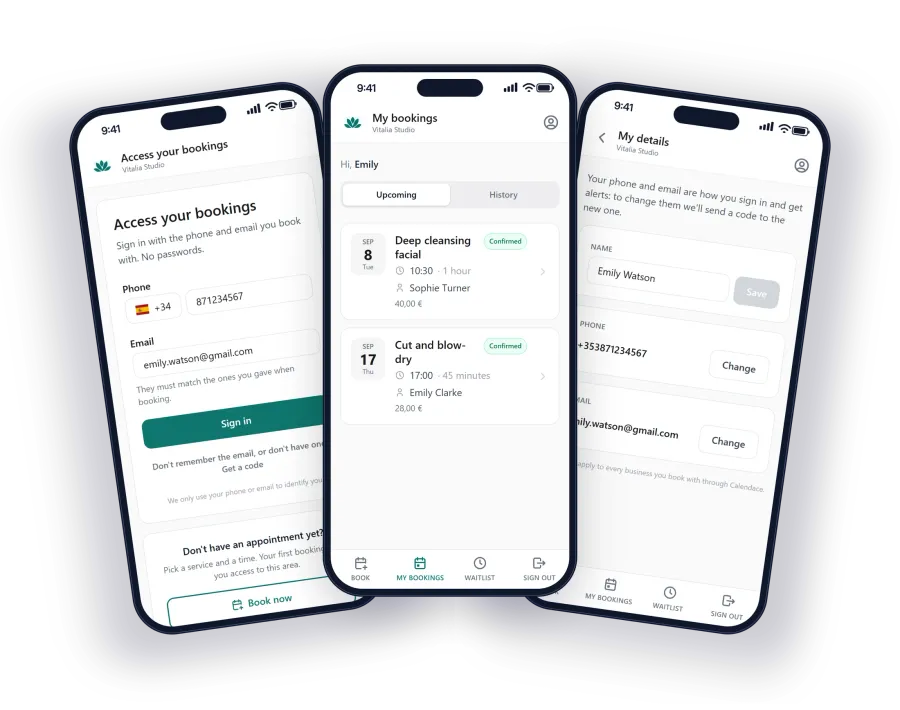
The client can check the status of their appointment at any time from the client area, signing in with their phone and email or straight from the link in the notice itself. If they have the page installed as an app, every status change reaches them as a notification, at no cost.
How to do it well if you turn it on
- Fixed times to review pending bookings: opening, midday and an hour before closing. Make it one specific person’s job.
- The wording of the pending notice says how long confirmation takes.
- Every rejection comes with a message from you giving the reason and an alternative.
- Each month, check how many pending bookings took more than four hours. If it’s more than one in ten, manual approval is costing you clients.
- Minimum notice, cancellation window and client blocking switched on as well. Manual approval doesn’t replace them.
In Calendace manual approval is just another booking rule, a switch alongside minimum notice and the cancellation window. Turn it on when what you’re protecting is worth more than the time you make people wait. And if you’re not sure, start without it and watch who comes in: it’s easier to add control than to win back the client who got tired of waiting.